


大家好,今天给小伙伴们带来一个绝绝子的神器——Khoj!这款开源的私人AI应用简直是宝藏💎,它能帮助你扩展自己的数字大脑,让你无论在工作还是学习上都如虎添翼🦁。现在,就让我们一起看看如何在OpenWRT上通过docker-compose来部署这个神器吧!🛠️
Khoj可以让你的AI代理随时待命,随时为你提供帮助。你可以将自己的笔记📓、文档📄分享到Khoj上,这样你的数字大脑就能不断扩展🧠。而且,Khoj的AI代理可以访问互联网,这就意味着你可以实时获取信息📡。这不仅是工作中的神器,也是学习上的好帮手📚。
Khoj的兼容性也是非常强的,不管你是使用Desktop、Emacs、Obsidian、Web等等,都能轻松使用Khoj。同时,它还支持多种文件格式的共享,包括pdf、markdown、org-mode、notion文件和GitHub仓库📁。这些都能让你在使用过程中畅通无阻⚡。
最让人激动的是,Khoj还能进行语义搜索,这意味着你在文档中的搜索将更加快速且准确🔍。不仅如此,Khoj的AI代理还能根据你的需求创建个性化的图像🖼️,并且理解你的语音🎤。简直是YYDS,超有料啊!🤩
说了这么多,那么如何在OpenWRT上通过docker-compose来部署Khoj呢?接下来就是学习时间📖:
第一步:安装Docker和Docker-compose
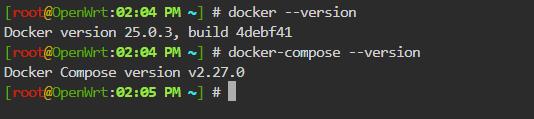
在OpenWRT上安装Docker和Docker-compose,为了方便省事,这里建议大家从openwrt.ai下载固件,通过软件包安装dockerd和docker-compose等插件。安装完毕后,在命令行模式(“服务”-“终端”)验证一下安装是否成功:
第二步:创建Khoj目录,编写docker-compose文件
在你的OpenWRT设备上创建一个文件夹,比如mkdir -p /data/docker/khoj,然后在这个文件夹中创建一个名为docker-compose.yml的文件。文件内容如下:
version: "3.9"
services:
  database:
    image: ankane/pgvector
    ports:
      - "5432:5432"
    environment:
      POSTGRES_USER: postgres
      POSTGRES_PASSWORD: postgres
      POSTGRES_DB: postgres
    volumes:
      - khoj_db:/var/lib/postgresql/data/
    healthcheck:
      test: ["CMD-SHELL", "pg_isready -U postgres"]
      interval: 30s
      timeout: 10s
      retries: 5
  server:
    depends_on:
      database:
        condition: service_healthy
    # Use the following line to use the latest version of khoj. Otherwise, it will build from source.
    image: ghcr.io/khoj-ai/khoj:latest
    # Uncomment the following line to build from source. This will take a few minutes. Comment the next two lines out if you want to use the offiicial image.
    # build:
      # context: .
    ports:
      # If changing the local port (left hand side), no other changes required.
      # If changing the remote port (right hand side),
      #   change the port in the args in the build section,
      #   as well as the port in the command section to match
      - "42110:42110"
    working_dir: /app
    volumes:
      - khoj_config:/root/.khoj/
      - khoj_models:/root/.cache/torch/sentence_transformers
    # Use 0.0.0.0 to explicitly set the host ip for the service on the container. https://pythonspeed.com/articles/docker-connection-refused/
    environment:
      - POSTGRES_DB=postgres
      - POSTGRES_USER=postgres
      - POSTGRES_PASSWORD=postgres
      - POSTGRES_HOST=database
      - POSTGRES_PORT=5432
      - KHOJ_DJANGO_SECRET_KEY=secret
      - KHOJ_DEBUG=False
      - [email protected]
      - KHOJ_ADMIN_PASSWORD=password
    command: --host="0.0.0.0" --port=42110 -vv --anonymous-mode


volumes:
  khoj_config:
  khoj_db:
  khoj_models:
第三步:启动Khoj
运行以下命令启动Khoj:
docker-compose up -d此时,你的Khoj就会开始拉取镜像,并且运行容器。
第四步:访问
等待一会在运行了!你可以通过访问http://你的OpenWRT设备IP:42110来查看Khoj的工作界面🌐。
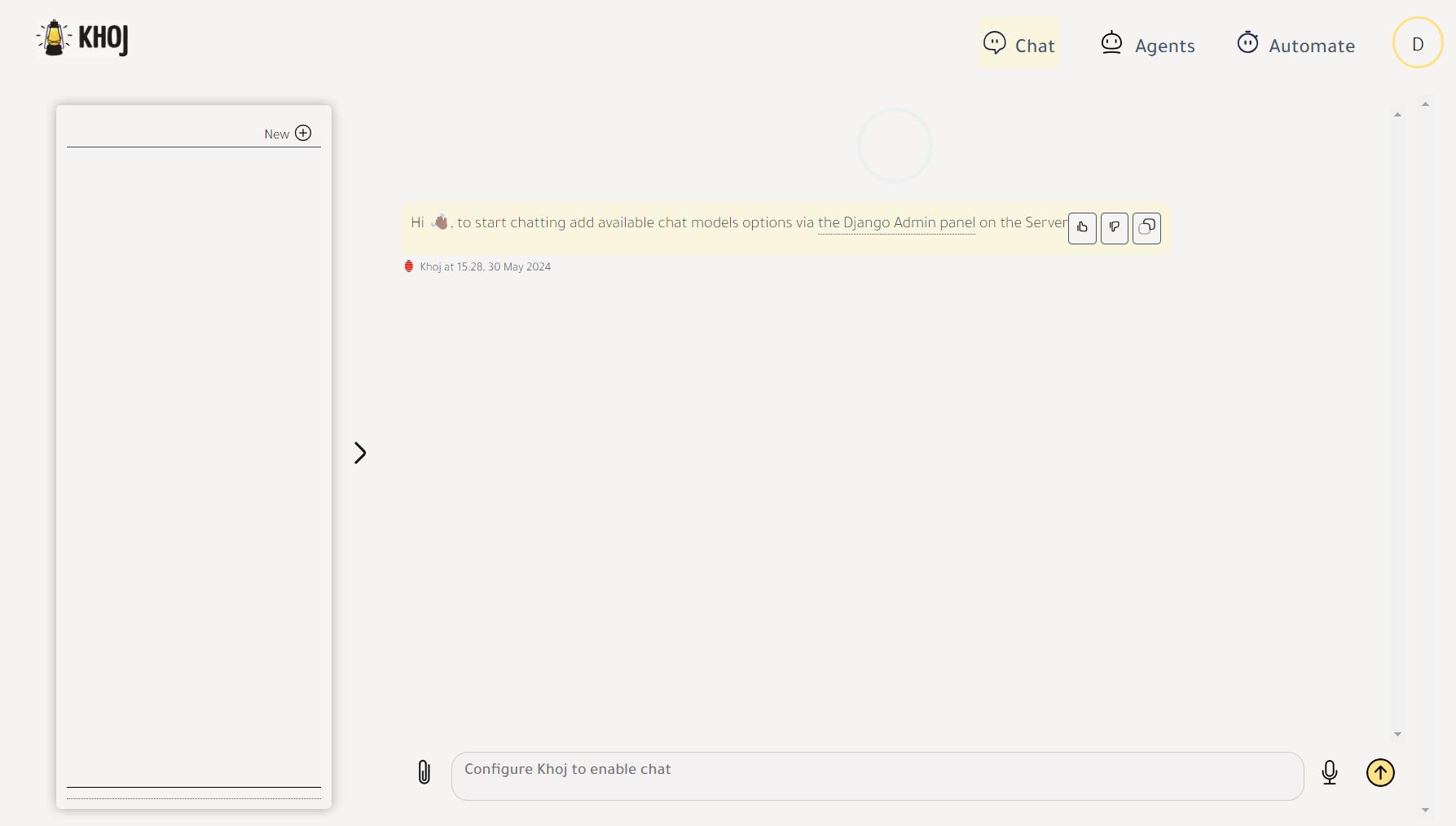
第五步:配置和使用Khoj
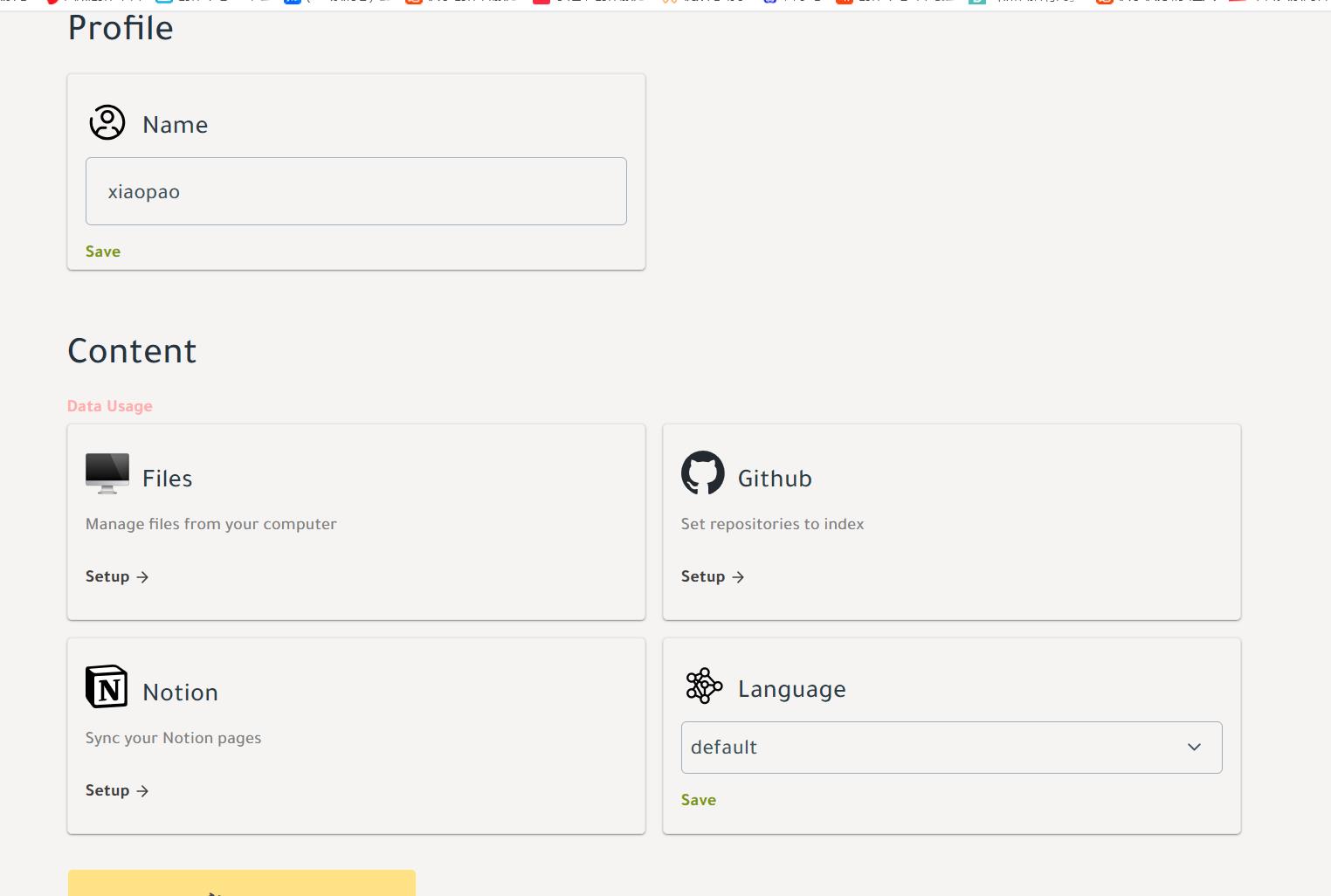
根据你的需求,在Khoj的配置界面进行相关设置。Files可以同步你电脑的文件,需要下载对应的桌面端:khoj.dev/downloads;Github是通过你的API令牌连接到你的代码仓库;Notion连接到你的相关笔记。通过这些设置,你就可以上传自己的笔记和文档,体验Khoj带来的高效和便利✨。
Khoj的部署就是这么简单,有手就能做🤲。希望这篇教程对你有所帮助!如果觉得有用,记得点赞收藏哦❤️!
更多关注:www.9418666.xyz



评论 (0)